Doctor Appointment Booking WordPress Plugin: Complete Clinic, Patient and Video Consultation System
Running a clinic through phone calls, spreadsheets and scattered messages creates delays for patients and unnecessary administrative work. The Royal Doctor Appointment System solves that problem by bringing doctor discovery, appointment scheduling, patient communication and operational controls into one WordPress installation. This Doctor Appointment Booking WordPress Plugin is designed for independent doctors, multispeciality clinics, dental centres, physiotherapy practices and healthcare directories that need a structured booking workflow without replacing WordPress with a separate platform.
What Makes This Doctor Appointment Booking WordPress Plugin Different
The Royal Doctor Appointment System has been developed as an original booking-focused product architecture. It does not copy the source code, visual assets, branding or proprietary content of another medical platform. The Doctor Appointment Booking WordPress Plugin uses custom database tables and WordPress roles to separate public discovery, patient activity, provider operations and administrative control.
On activation, the Doctor Appointment Booking WordPress Plugin creates the required database structure, default medical specialties and frontend pages. These pages include Find a Doctor, Doctor Profile, Patient Dashboard, Doctor Dashboard and Appointment Status. The plugin provides shortcodes for each frontend module, allowing the site owner to place the booking system inside an existing WordPress theme or a purpose-built healthcare website.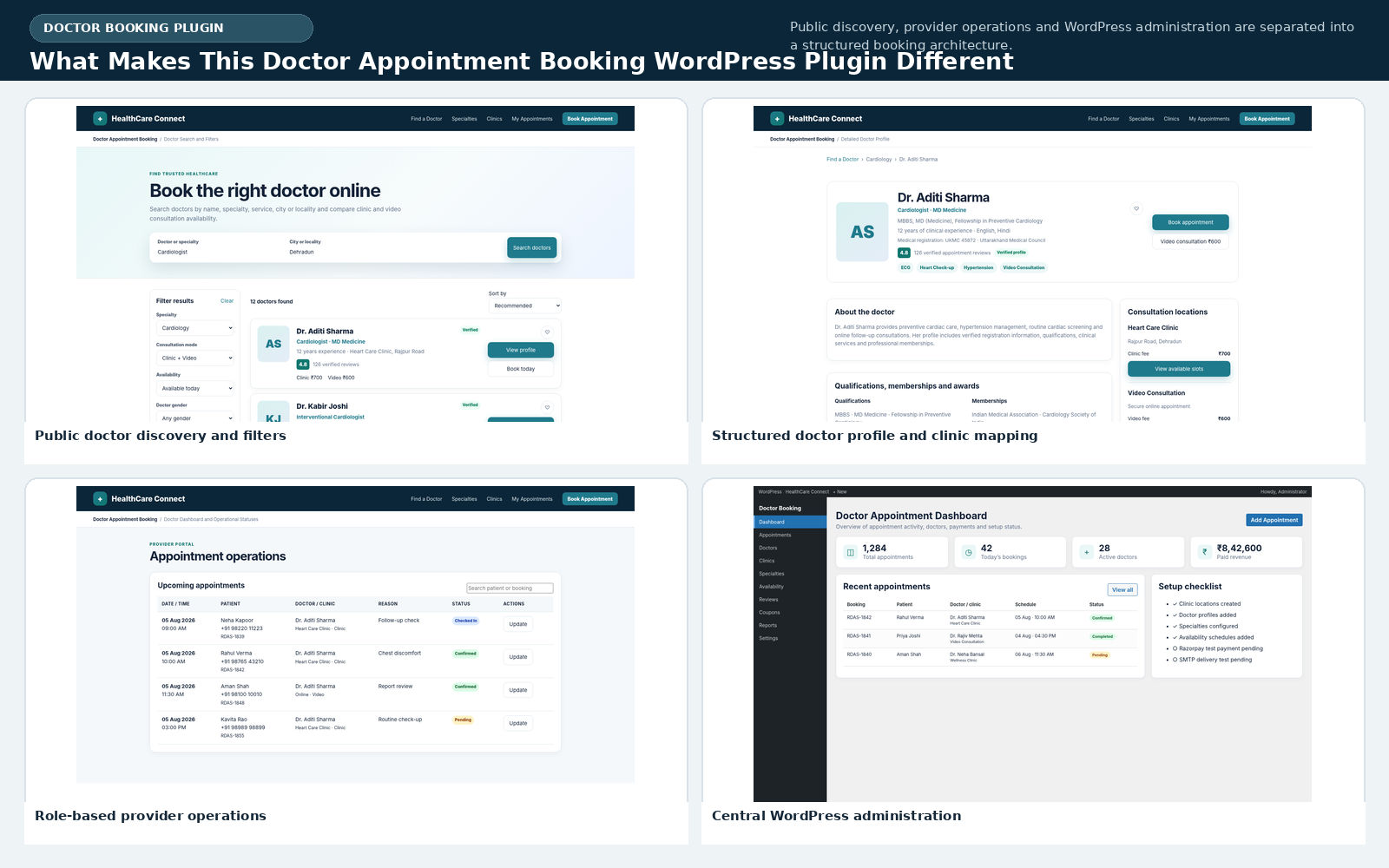
Advanced Doctor Search and Filters
The frontend search experience is one of the strongest parts of the Doctor Appointment Booking WordPress Plugin. Website visitors can search by doctor name, specialty, qualification, service, city or locality. This supports both a single-city clinic and a larger network with several locations. Search results can be refined by consultation mode, availability, gender, minimum experience and maximum fee.
The Doctor Appointment Booking WordPress Plugin supports clinic visits and video consultations as separate modes. Availability filters can show doctors available today, tomorrow or during the next seven days. Results can be sorted by recommended order, rating, experience or lowest consultation fee. Each doctor card can display experience, specialties, clinic locations, rating, review count and the relevant consultation charges.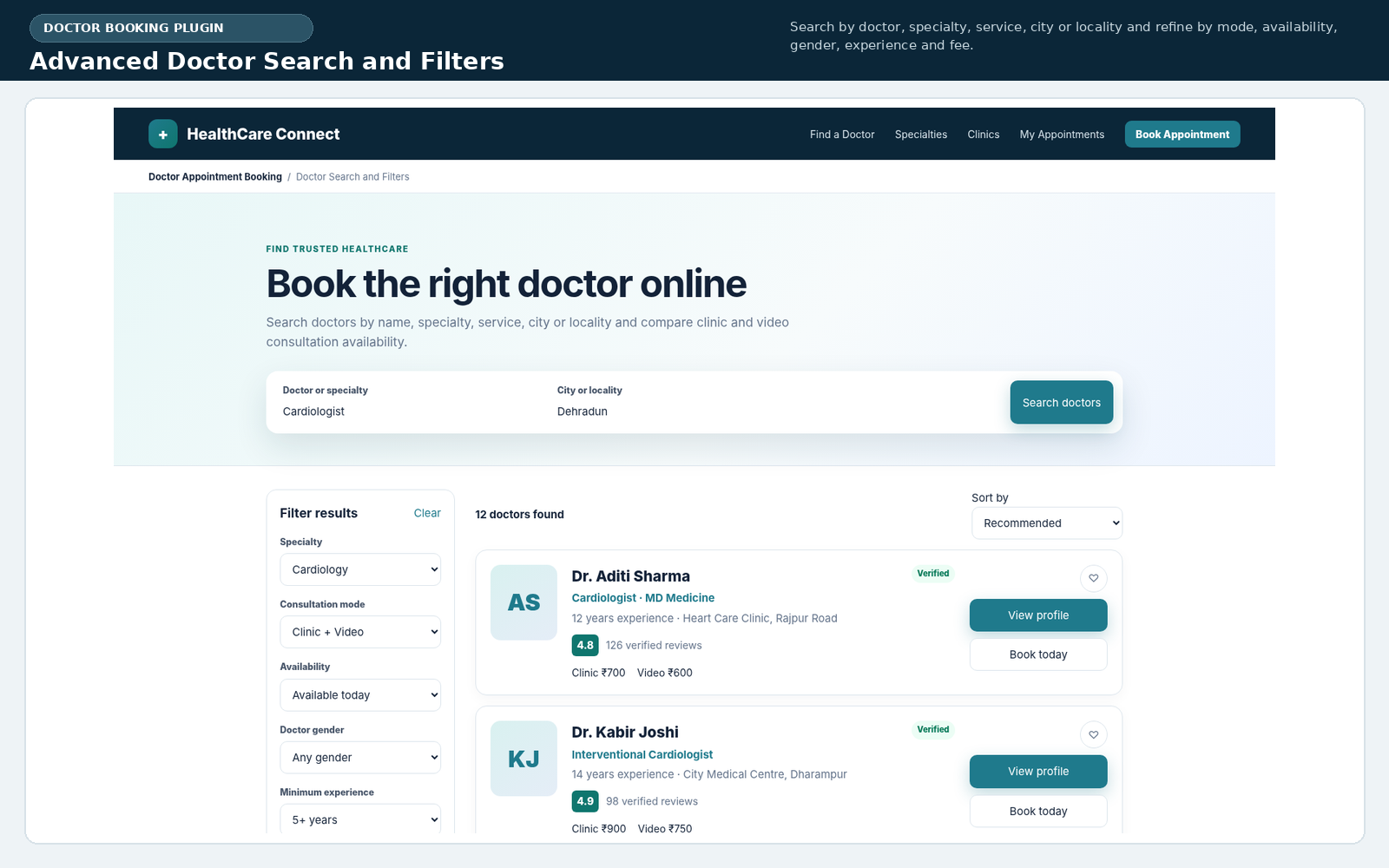
Detailed Doctor Profile Pages
Every provider can have a structured profile inside the Doctor Appointment Booking WordPress Plugin. Administrators can add a profile photo, professional name, public slug, medical registration number, council, qualifications, experience, specialties, services, languages, memberships, awards and biography. A primary specialty can be selected while additional specialties remain available for search and filtering.
The Doctor Appointment Booking WordPress Plugin can connect one doctor with multiple clinics. Each relationship can use a different physical consultation fee, video consultation fee, appointment duration, buffer time and schedule. Profile pages display the linked locations, consultation modes, fees and approved appointment-based reviews, helping patients make a more informed selection.
Doctor profile templates also output Physician structured data. The Doctor Appointment Booking WordPress Plugin can include the provider name, description, specialties, image, clinic relationship and aggregate rating when approved reviews exist. This markup helps search engines interpret the healthcare profile, although visibility still depends on content quality, crawlability, theme implementation and overall website authority.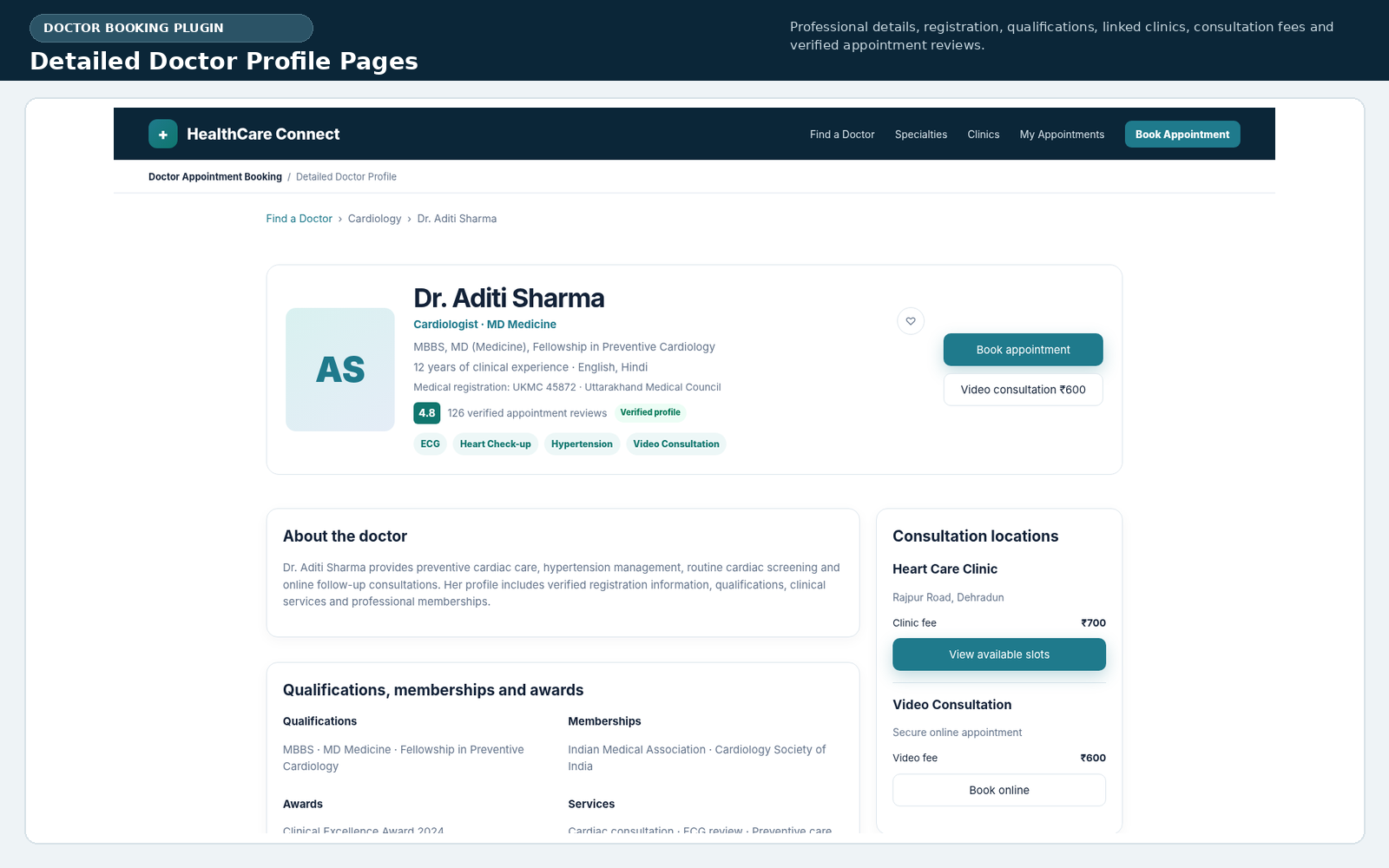
Real-Time Availability and Slot Generation
Reliable scheduling requires more than publishing a fixed list of times. The Doctor Appointment Booking WordPress Plugin generates slots dynamically from the doctor-clinic assignment and weekly schedule. Administrators define working days, start and end times, breaks, appointment duration, buffer intervals and slot capacity for clinic or video appointments.
The Doctor Appointment Booking WordPress Plugin also revalidates the selected slot immediately before creating an appointment. This is important when two patients attempt to reserve the same time simultaneously. A MySQL named lock and server-side capacity check reduce double-booking risk instead of trusting the browser interface alone.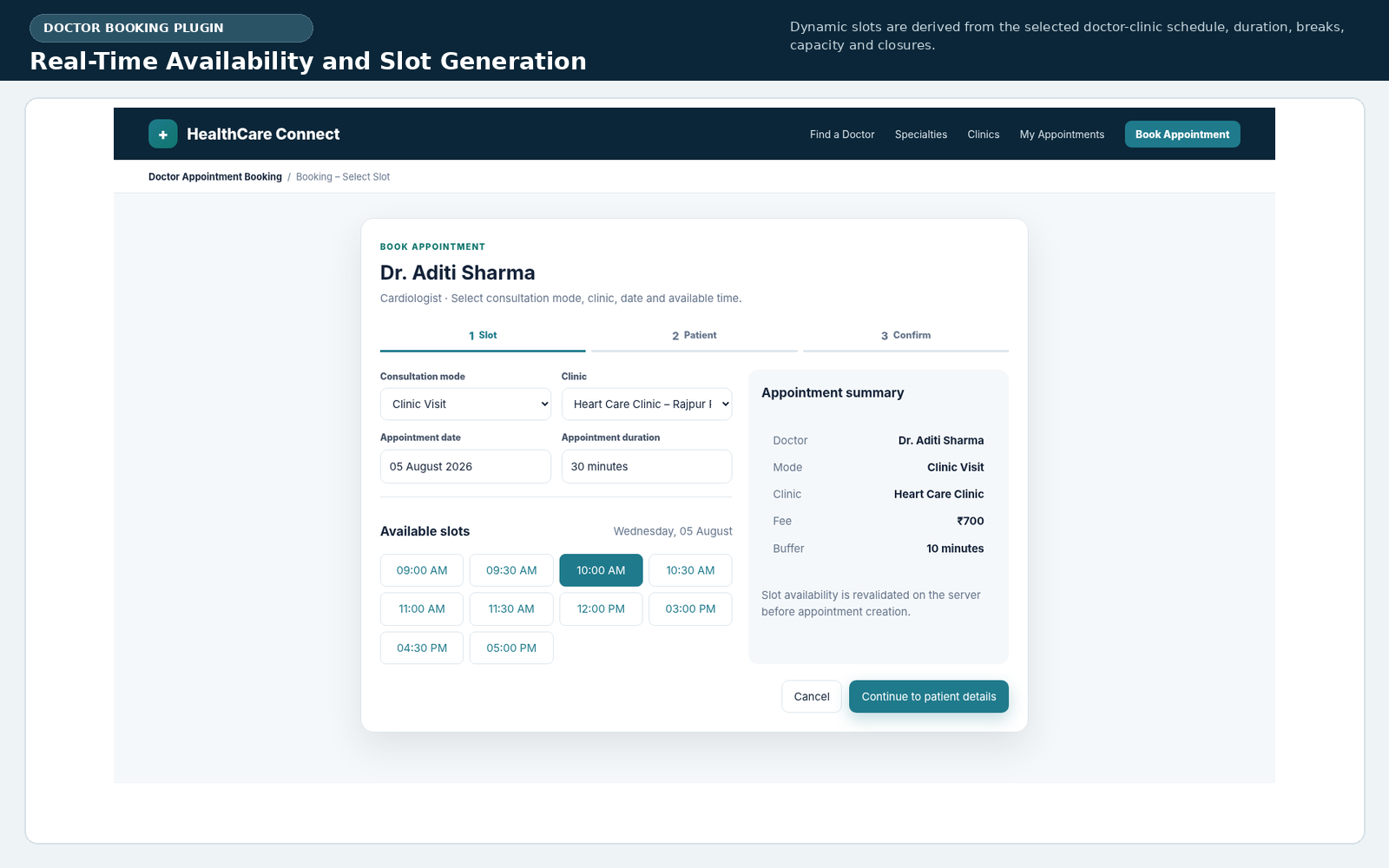
Multi-Step Appointment Booking
The booking workflow of the Doctor Appointment Booking WordPress Plugin is divided into clear stages. First, the visitor chooses the consultation mode, clinic, date and available slot. The second step collects patient information such as name, mobile number, email, city, date of birth, gender, consultation reason and optional notes when that setting is enabled.
The Doctor Appointment Booking WordPress Plugin supports guest checkout and optional WordPress patient-account creation. This gives clinics flexibility: a simple practice can accept bookings without forcing registration, while a larger portal can encourage patients to create accounts for appointment history, rescheduling, favourites and reviews.
Before confirmation, the Doctor Appointment Booking WordPress Plugin recalculates consultation fees, coupon discounts and tax on the server. The amount shown by JavaScript is treated only as a preview. Server-side recalculation protects the booking total from browser manipulation and ensures that coupon rules, minimum amounts, maximum discounts and validity dates are enforced consistently.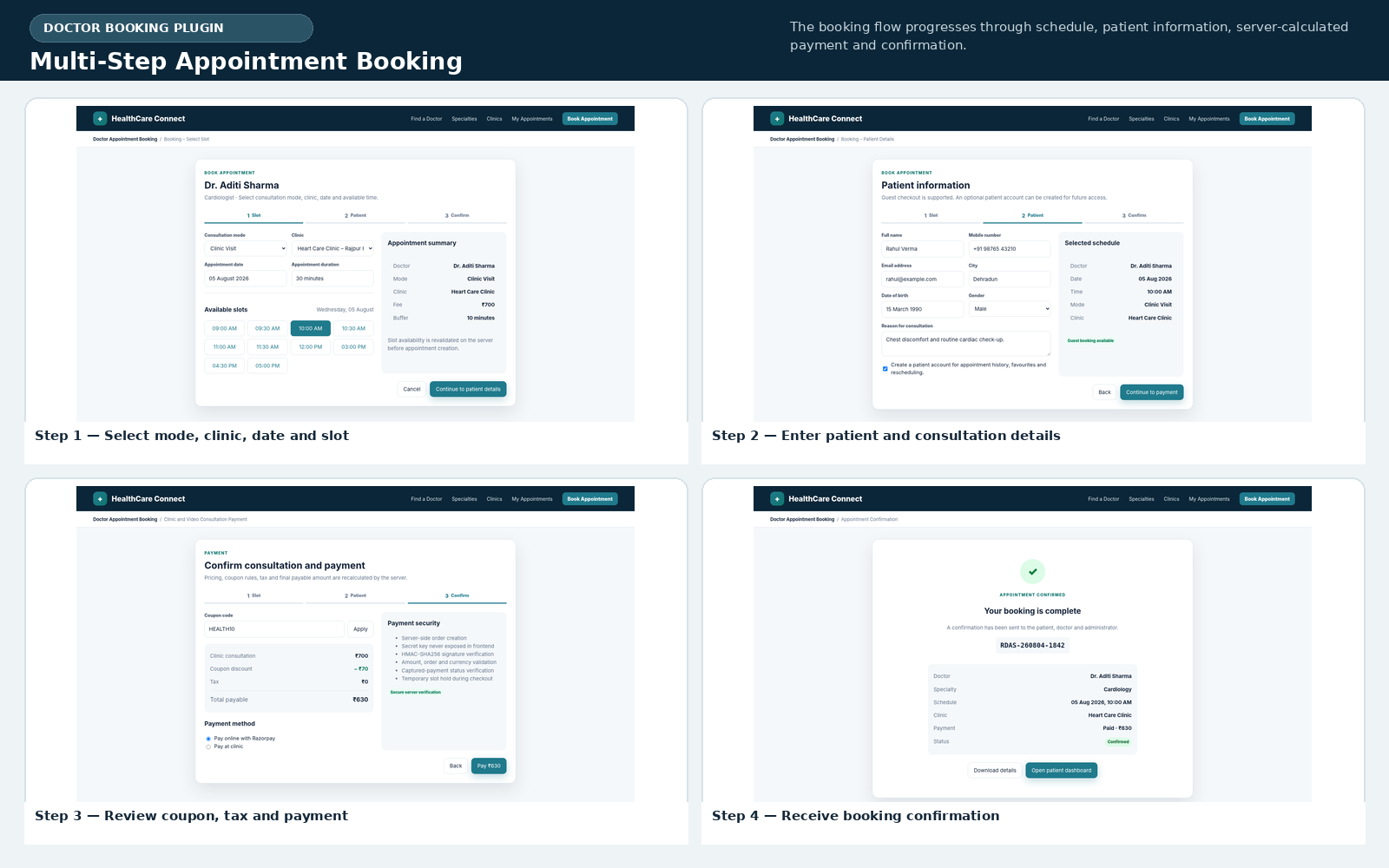
Clinic and Video Consultation Payments
For Razorpay bookings, the Doctor Appointment Booking WordPress Plugin creates the gateway order from the server. The secret key is not exposed to frontend JavaScript. After checkout, the implementation verifies the HMAC-SHA256 signature and checks the gateway order, payment amount, currency and captured status before marking the appointment as paid.
Online bookings can use short-lived payment holds. The Doctor Appointment Booking WordPress Plugin temporarily protects the selected slot while payment is in progress, then releases expired holds through scheduled cleanup. This provides a safer booking lifecycle for abandoned, failed or incomplete payments.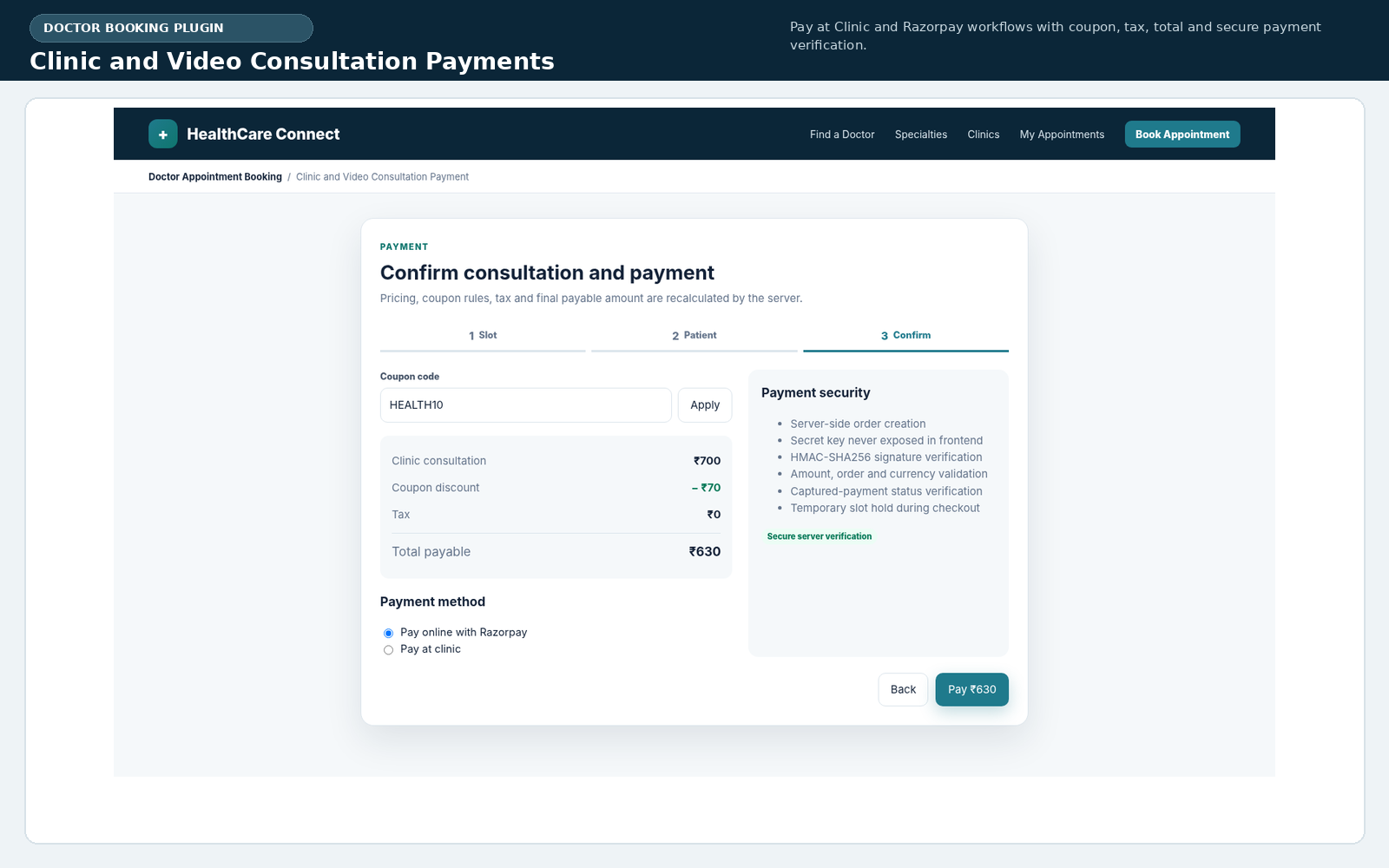
Patient Dashboard and Guest Lookup
Logged-in patients receive a dedicated area through the Doctor Appointment Booking WordPress Plugin. The dashboard lists upcoming, completed and previous appointments with booking status, payment status, doctor, clinic, date and time. Eligible appointments can be cancelled or rescheduled according to the configured cutoff and current slot availability.
For video consultations, the Doctor Appointment Booking WordPress Plugin displays a Join Consultation action when the provider has added a meeting URL and the appointment is in an allowed status. Patients can also save favourite doctors, reducing search time during future visits.
The Doctor Appointment Booking WordPress Plugin does not require every patient to create an account. Guest users can open the Appointment Status page and enter their booking number together with the email address or mobile number used during booking. This workflow provides useful access while keeping the guest experience simple.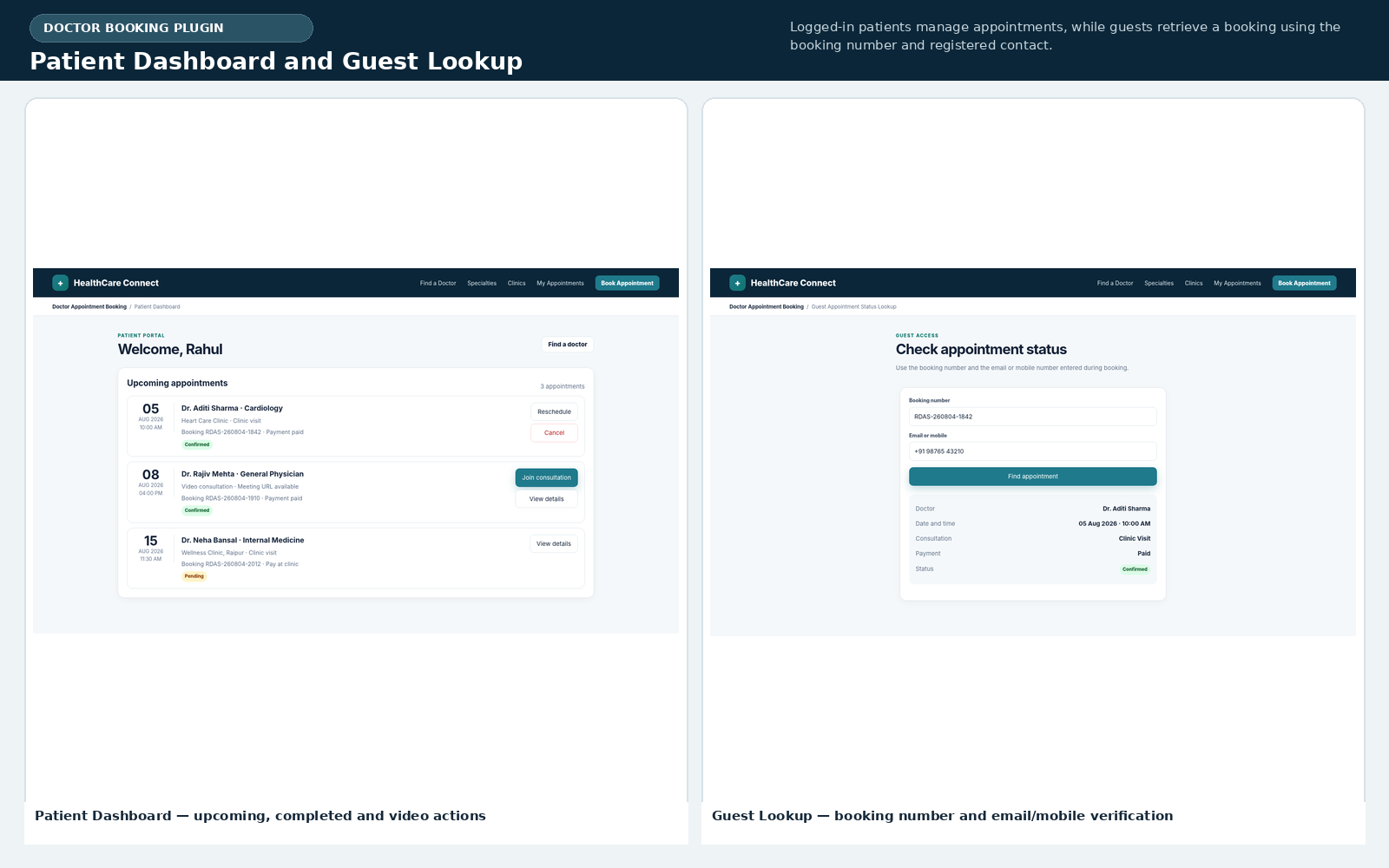
Verified Reviews and Patient Feedback
Reviews in the Doctor Appointment Booking WordPress Plugin are linked to completed appointments rather than open anonymous submissions. After completion, an eligible patient can submit an overall rating, experience title, detailed feedback and recommendation status. The data structure also supports clinic and waiting-time ratings.
Administrators moderate submitted feedback before publication. The Doctor Appointment Booking WordPress Plugin allows reviews to be approved or rejected, and a provider response can be stored. Appointment-linked reviews improve trust because the review workflow is connected to a genuine booking record.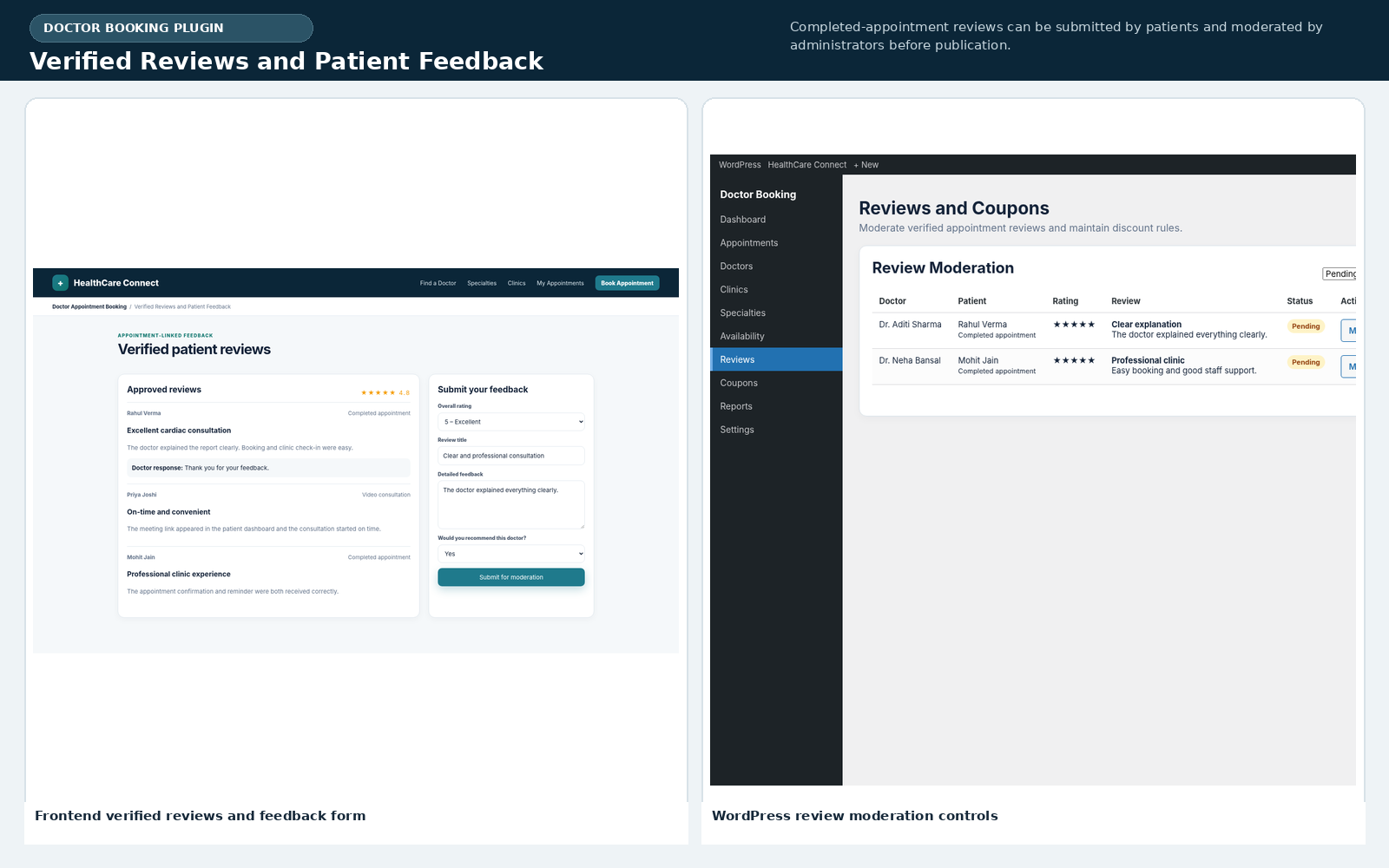
Doctor Dashboard and Operational Statuses
A doctor profile can be linked to a WordPress user. The Doctor Appointment Booking WordPress Plugin then gives that provider access to a dedicated dashboard showing upcoming appointments. Doctors can search by patient name or booking number and review consultation mode, clinic, schedule, contact information and visit reason.
The Doctor Appointment Booking WordPress Plugin supports operational statuses including pending, confirmed, checked in, in consultation, completed, no show, cancelled and rejected. Doctors can add video meeting URLs and internal notes. Capability checks restrict a provider to appointments associated with the linked doctor profile unless the account also has administrator permissions.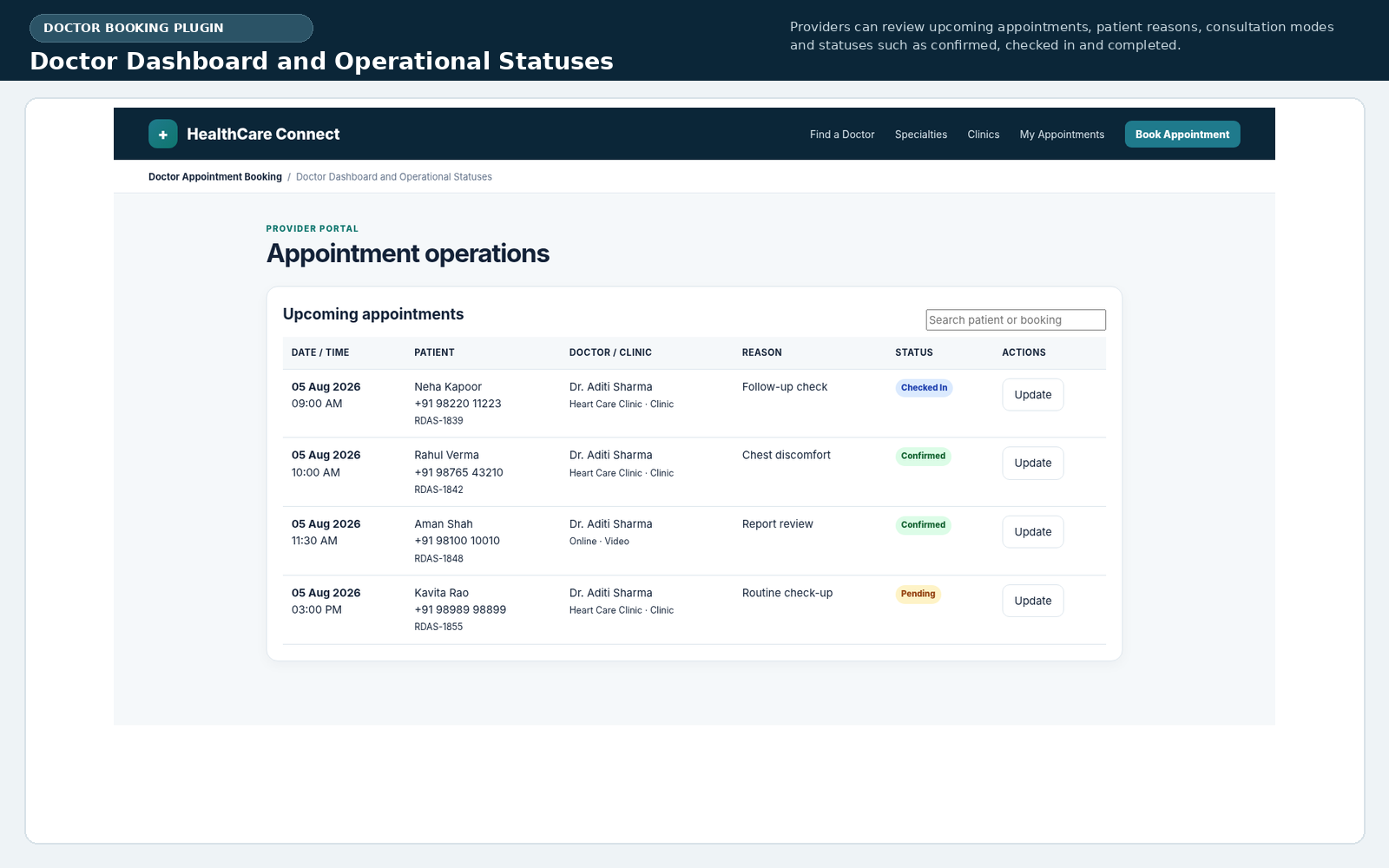
Complete WordPress Admin Management
The backend of the Doctor Appointment Booking WordPress Plugin is divided into focused administration modules. The dashboard summarises total appointments, bookings for the current day, active doctors, recent activity and paid revenue. A setup checklist guides administrators toward clinics, doctors, availability and settings.
Appointment administration in the Doctor Appointment Booking WordPress Plugin includes search, status filters, date filters, manual booking creation, editing and CSV export. Records contain patient contact details, doctor, clinic, consultation mode, schedule, fees, discounts, tax, payment method, payment status, operational status, meeting URL and internal notes.
Doctor management allows administrators to maintain professional identity, registration details, qualifications, experience, specialties, services, languages, awards, memberships, verification status and active status. Clinic management stores the name, image, address, locality, city, state, pincode, phone, email, coordinates and facilities for each location.
Availability management is central to the Doctor Appointment Booking WordPress Plugin. An administrator connects doctors with clinics, assigns physical and video fees, sets appointment duration, adds buffer time, defines capacity and builds weekly schedules. Holidays and closures can block a doctor, a clinic or a specific doctor-clinic relationship for a date range.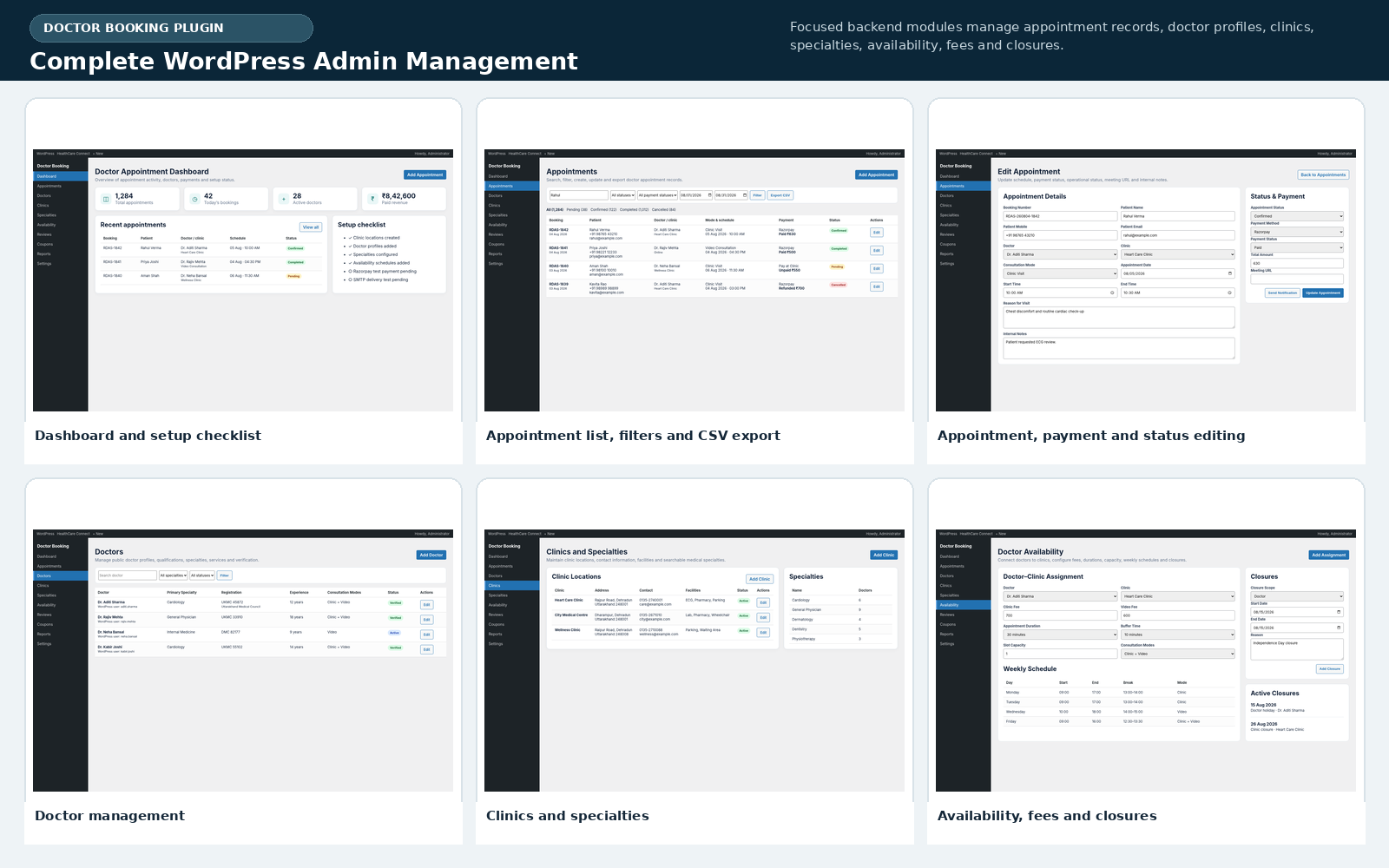
Coupons, Reports and Notifications
The Doctor Appointment Booking WordPress Plugin includes fixed and percentage coupons. Rules can define minimum booking value, maximum discount, validity dates, usage limits and active status. Coupon calculation runs on the server before the appointment is confirmed.
Reporting tools in the Doctor Appointment Booking WordPress Plugin summarise total appointments, completed consultations, cancellations and paid revenue for a selected period. Doctor-wise reporting can show booking count, completed count, completion rate and revenue. Administrators can export appointment data as CSV for reconciliation or external analysis.
Email notifications use WordPress wp_mail(). The Doctor Appointment Booking WordPress Plugin can send confirmations and status updates to patients, doctors and administrators. Generic SMS and WhatsApp webhook fields allow integration with an approved communication provider through a separate adapter endpoint. Reminder events can run through WordPress cron or a real server cron.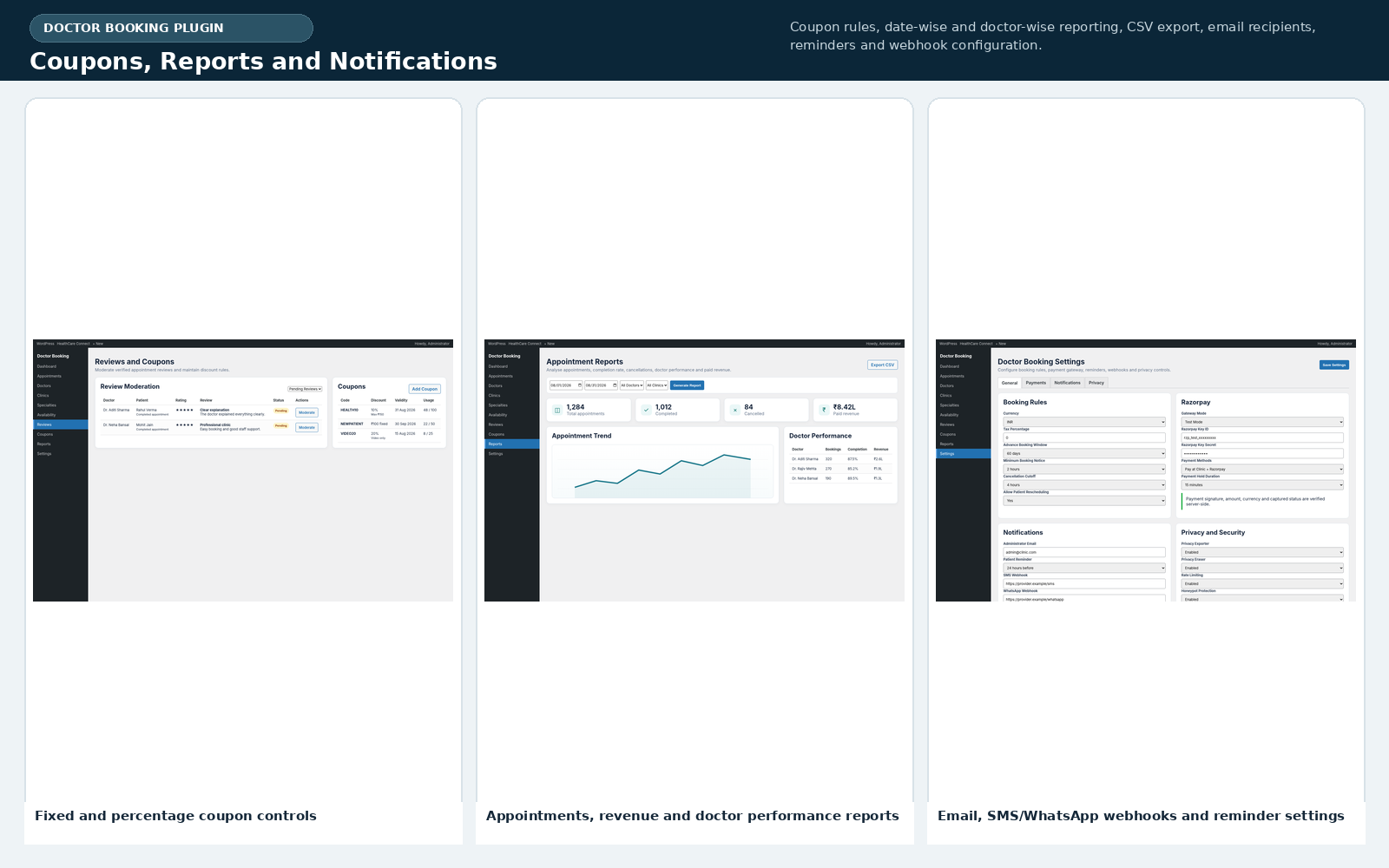
Security and Privacy Architecture
Healthcare websites handle sensitive personal information, so the Doctor Appointment Booking WordPress Plugin includes several technical controls. Public and administrative mutations use WordPress nonces. Provider and administrator operations use capability checks. Inputs are sanitised, output is escaped and sensitive database queries use prepared statements.
The Doctor Appointment Booking WordPress Plugin applies rate limiting with salted IP hashes and uses a honeypot field to reduce automated spam. Fees, coupons, tax and slot availability are recalculated on the server. Razorpay signatures and payment states are verified before payment confirmation.
WordPress privacy exporter and eraser integrations are included in the Doctor Appointment Booking WordPress Plugin. The site owner must still configure HTTPS, backups, least-privilege accounts, data-retention rules, privacy notices, consent wording and applicable healthcare compliance. SMTP, SPF, DKIM and DMARC should also be configured for reliable transactional email.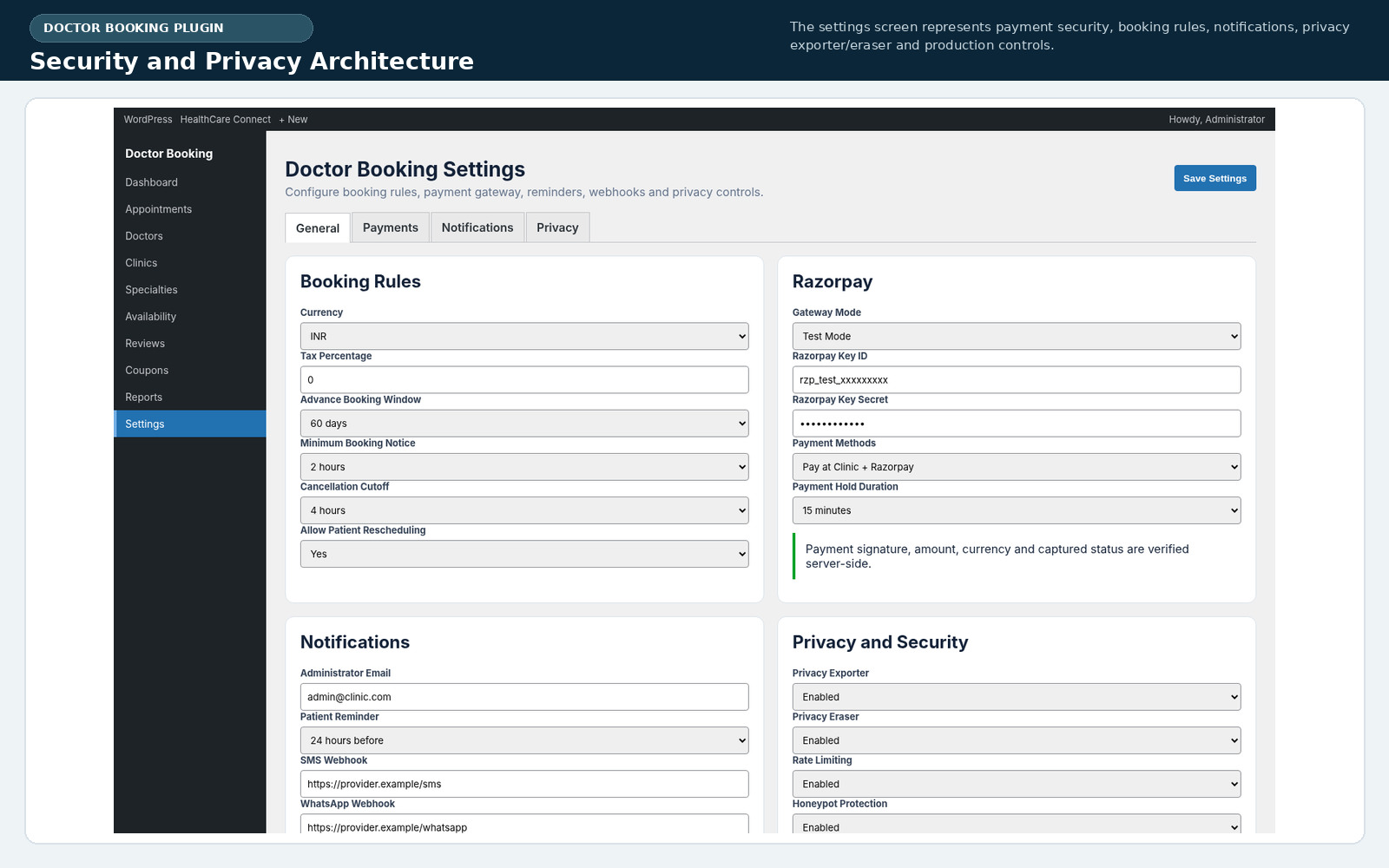
Installation and Initial Configuration
Installing the Doctor Appointment Booking WordPress Plugin follows the standard WordPress upload process. Upload the ZIP from Plugins, activate it and open the Doctor Booking menu. Create clinic locations first, then doctor profiles and specialties. Link each doctor to the relevant clinics and configure fees, duration, capacity and consultation modes.
Next, add weekly schedules, breaks and closure dates. Configure Pay at Clinic or Razorpay, email recipients, webhook settings, cancellation cutoff, reminders, tax and booking windows. Add the automatically created pages to the website navigation and test the complete Doctor Appointment Booking WordPress Plugin on staging before accepting real appointments.
Production testing should cover guest booking, patient registration, doctor access, simultaneous slot attempts, cancellation, rescheduling, coupons, abandoned payments, failed payments, completed payments, reminders and review moderation. The Doctor Appointment Booking WordPress Plugin requires WordPress 6.2 or newer and PHP 7.4 or newer, while PHP 8.1 or later is preferable for production.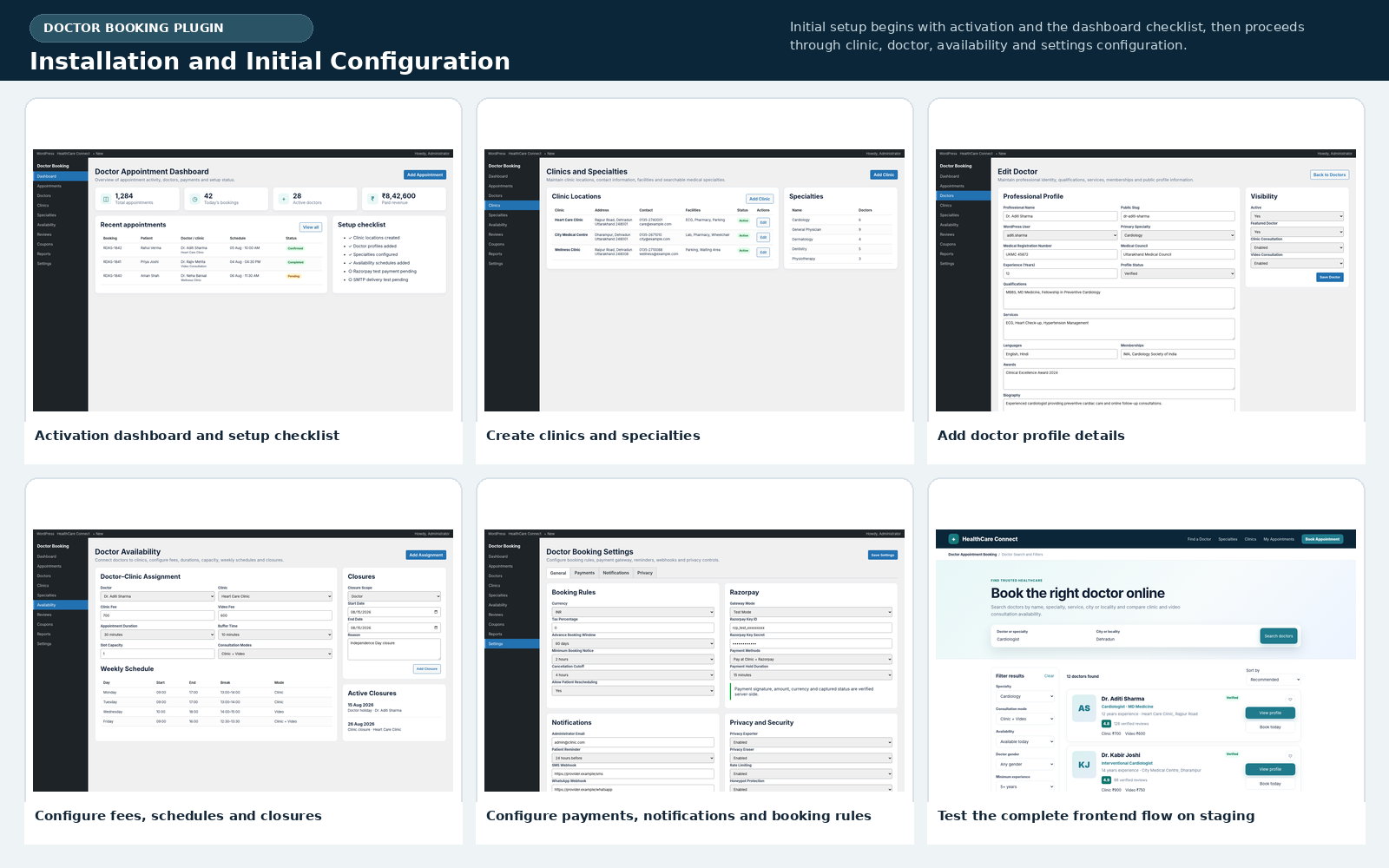
Suitable Healthcare Use Cases
The Doctor Appointment Booking WordPress Plugin is suitable for individual practitioners, multispeciality clinics, dental practices, physiotherapy centres, mental-health consultation services, healthcare directories and teleconsultation businesses. It is especially useful when the organisation needs physical and video appointments within one consistent workflow.
The Doctor Appointment Booking WordPress Plugin is not an electronic health record, prescription engine, medicine marketplace, diagnostic marketplace, insurance claim system or inpatient hospital-management platform. Those areas involve separate business processes, integrations and regulatory requirements. The plugin is focused specifically on doctor discovery, scheduling, payment, communication and appointment operations.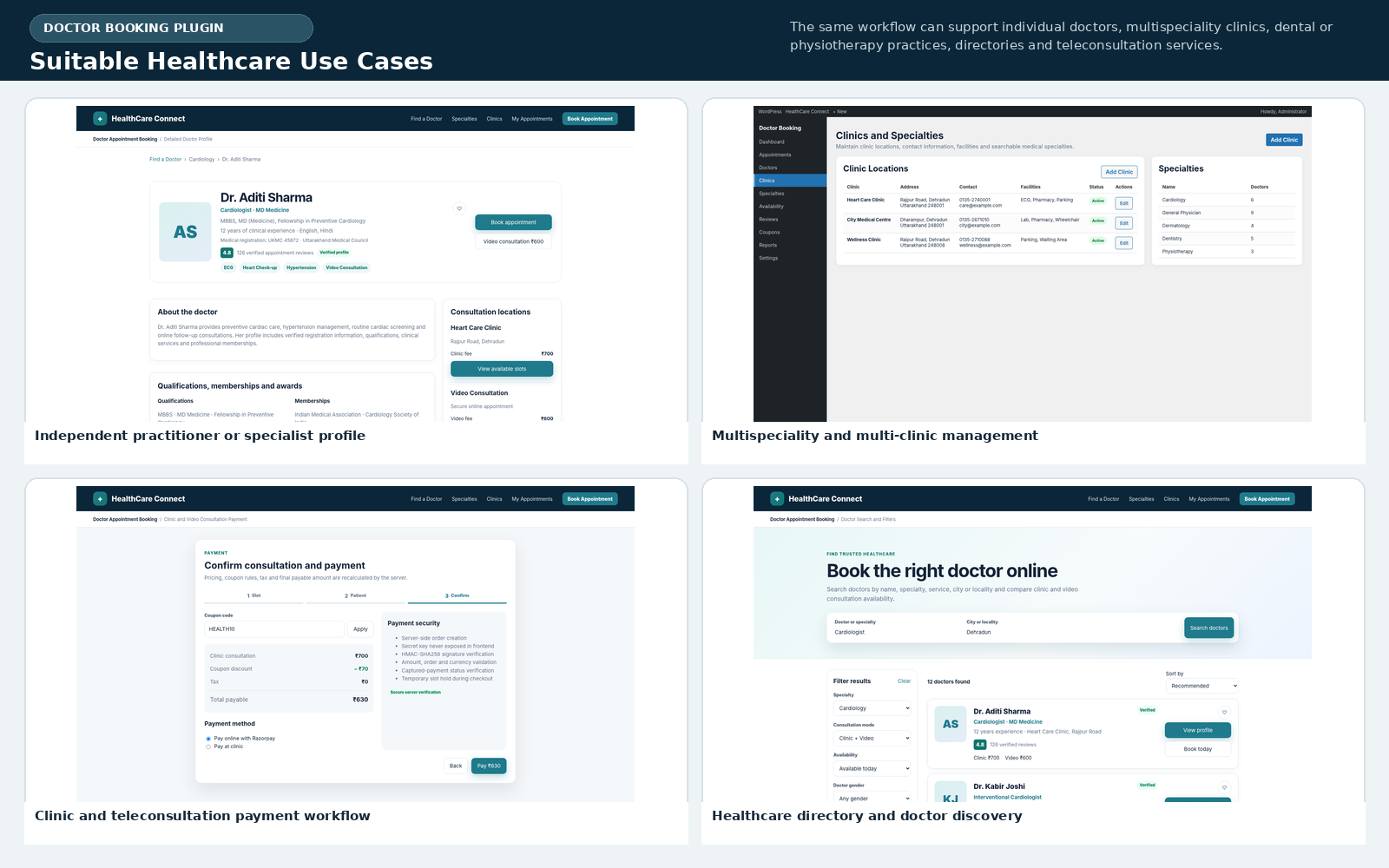
Final Assessment
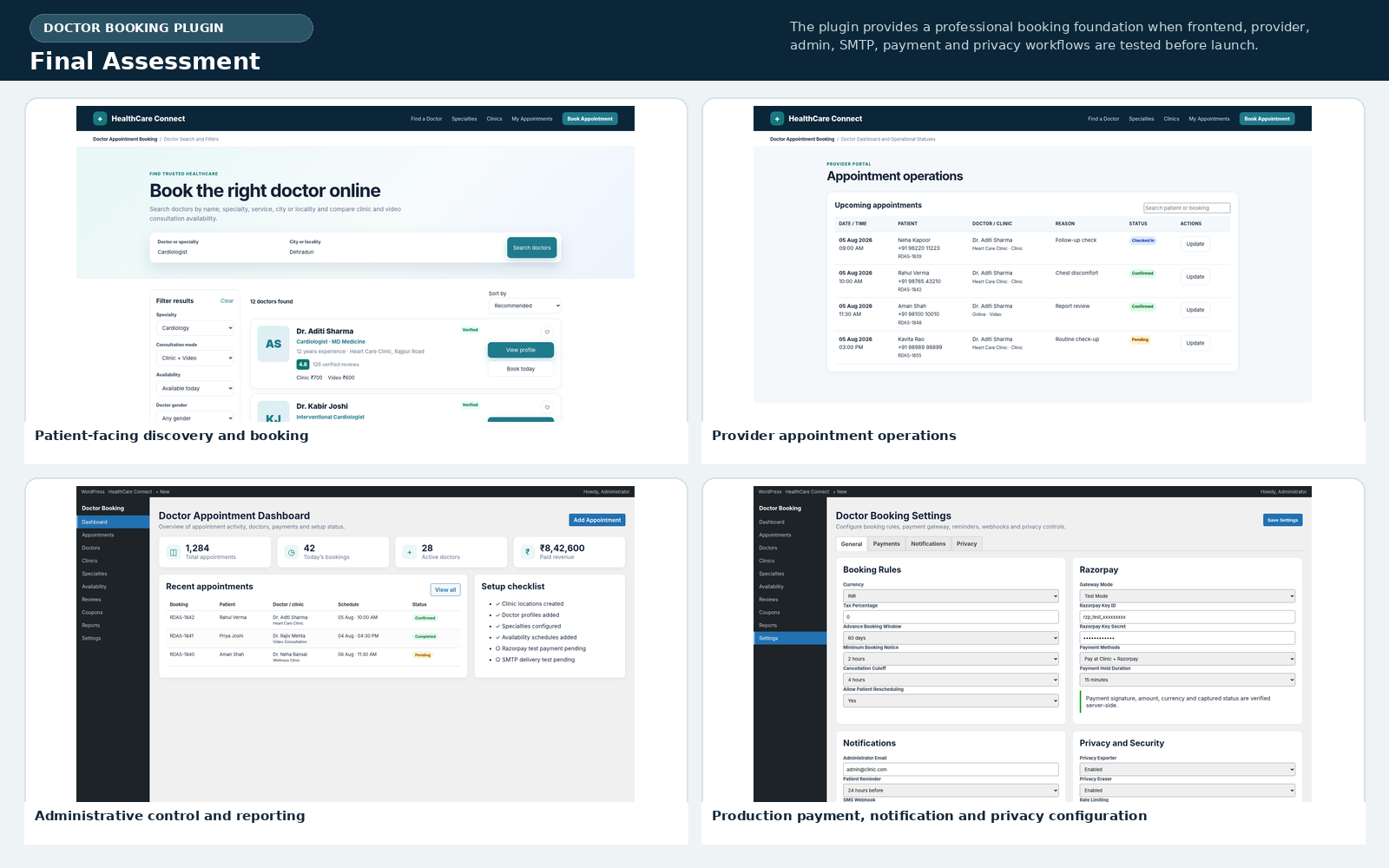
Royal Doctor Appointment System combines search, provider profiles, clinic mapping, real-time schedules, patient booking, online payment, dashboards, reviews, coupons, notifications and reports. As a Doctor Appointment Booking WordPress Plugin, it gives healthcare businesses a structured foundation without forcing them to abandon the WordPress ecosystem.
For a successful launch, the Doctor Appointment Booking WordPress Plugin should be installed on staging, tested with the active theme, connected to SMTP, verified with Razorpay test credentials and reviewed against the organisation’s privacy requirements. Once those operational checks are complete, the system can support a professional and scalable appointment experience for patients, doctors and administrators.